
Abgestimmt auf deine Artenliste
Du wählst die Region und bestimmst die dort vorkommenden Arten. Die Erkennung wird auf diese Liste abgestimmt, sodass die Ergebnisse relevant bleiben.
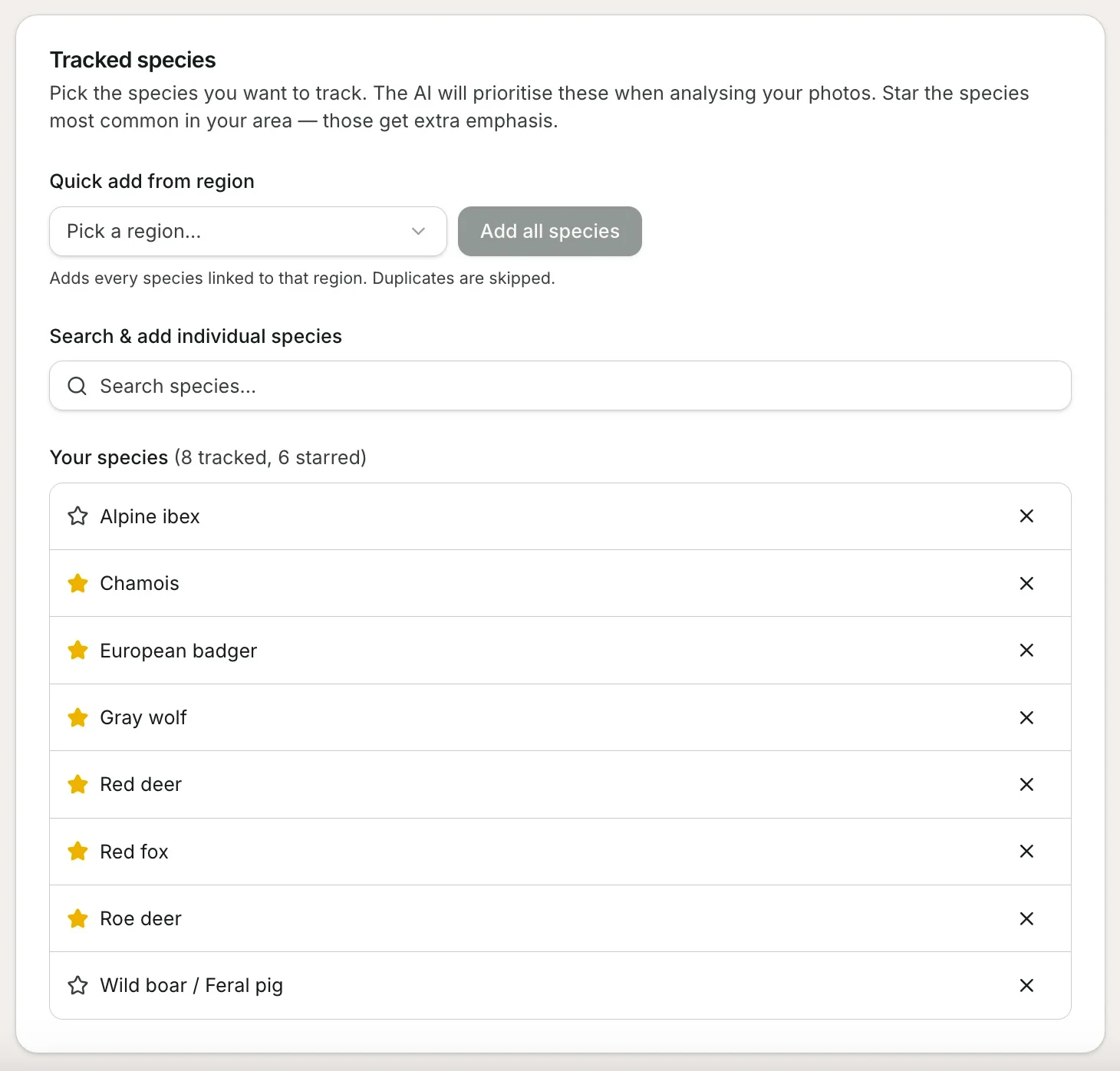
Die Erkennung ist am schärfsten, wenn sie weiß, was zu erwarten ist. Wenn du eine Region wählst, lädt TrailCamHub die Wildtierarten, die dort vorkommen — und gibt dir dann die Liste.
Du behältst die Kontrolle
Lege in den Einstellungen eine Standard-Artenliste fest, die für alle deine Kameras gilt, und passe sie dann für jede einzelne Kamera an — praktisch, wenn deine Kameras in verschiedenen Regionen oder sehr unterschiedlichen Bereichen stehen. Von dort aus kannst du:
- Arten entfernen, die du an deinem Standort nie sehen wirst.
- Andere manuell hinzufügen, wenn dein Gelände ungewöhnlich ist.
- Die Arten markieren, die du für am wahrscheinlichsten hältst.
Wie deine Liste die Ergebnisse beeinflusst
Die Arten, die du behältst, bilden eine Erlaubnisliste für die Region dieser Kamera. Wenn die KI ein Foto analysiert, wird das Ergebnis gegen diese Liste überprüft:
- Eine erkannte Art, die auf deiner Liste steht, wird wie gewohnt angezeigt.
- Ein Ergebnis, das nicht auf deiner Liste steht, wird zur zweiten Überprüfung gekennzeichnet, statt als Tatsache angezeigt zu werden — diese Fälle sind am ehesten Fehler.
- Arten, die du als am wahrscheinlichsten markiert hast, wirken als sanftes Entscheidungshilfe, wenn sich das Modell zwischen ähnlichen Tieren unsicher ist.
Wichtig: Deine Liste spricht die eigene Sprache des Modells: Jede Art ist dem genauen Label zugeordnet, das das Erkennungsmodell intern verwendet — und die europäischen und globalen Modelle benennen Dinge unterschiedlich — daher ist die Zuordnung zuverlässig, nicht ungefähr.
Was es nicht ist
Das trainiert das Modell nicht auf deinen Fotos um. Es ist eine Relevanz- und Überprüfungsschicht über der Erkennung: Sie verengt den Bereich plausibel erscheinender Antworten und hebt die fragwürdigen hervor, was die Ergebnisse vertrauenswürdig hält, ohne dass du Machine-Learning-Arbeit leisten musst.
Das Ergebnis ist weniger seltsame Fehlklassifizierungen und klare Markierungen auf den wenigen Erkennungen, die wirklich dein Urteil verdienen.